
How can students hear their Assessment Series test or Free Reading Assessment read aloud?
CommonLit’s Read Aloud tool for the Assessment Series and the Free Reading Assessment allows students to hear the instructions, passages, questions, and answer options on a test. This tool will not appear if your school and/or district has disabled access to in-platform read-aloud for the Assessment Series. If the tool is available, educators can enable read-aloud for students whose IEPs or 504 plans require this accommodation. The topics in this article do not apply to users in schools and/or districts where access to in-platform read-aloud has been disabled.
In this article, we will cover:
How Read Aloud works on assessments
Students with Read Aloud enabled can listen to the instructions, passage title, author, introduction to the passage, the entire passage, questions, and answer options. It also covers the Academic Honesty statement for grades 6-12.
To use Read Aloud, a student will need to click on the Read Aloud button for the play options and controls to appear. The student can either press Play to start the audio at the beginning of the page or start on a specific paragraph by clicking the speaker icon 🔈 next to the text. Students can also choose to play the audio at the following Voice Speeds: Normal (default), Slower, Even Slower.
Students who have access to Read Aloud on their assessment will also be provided directions on using Read Aloud when they open their assessment.
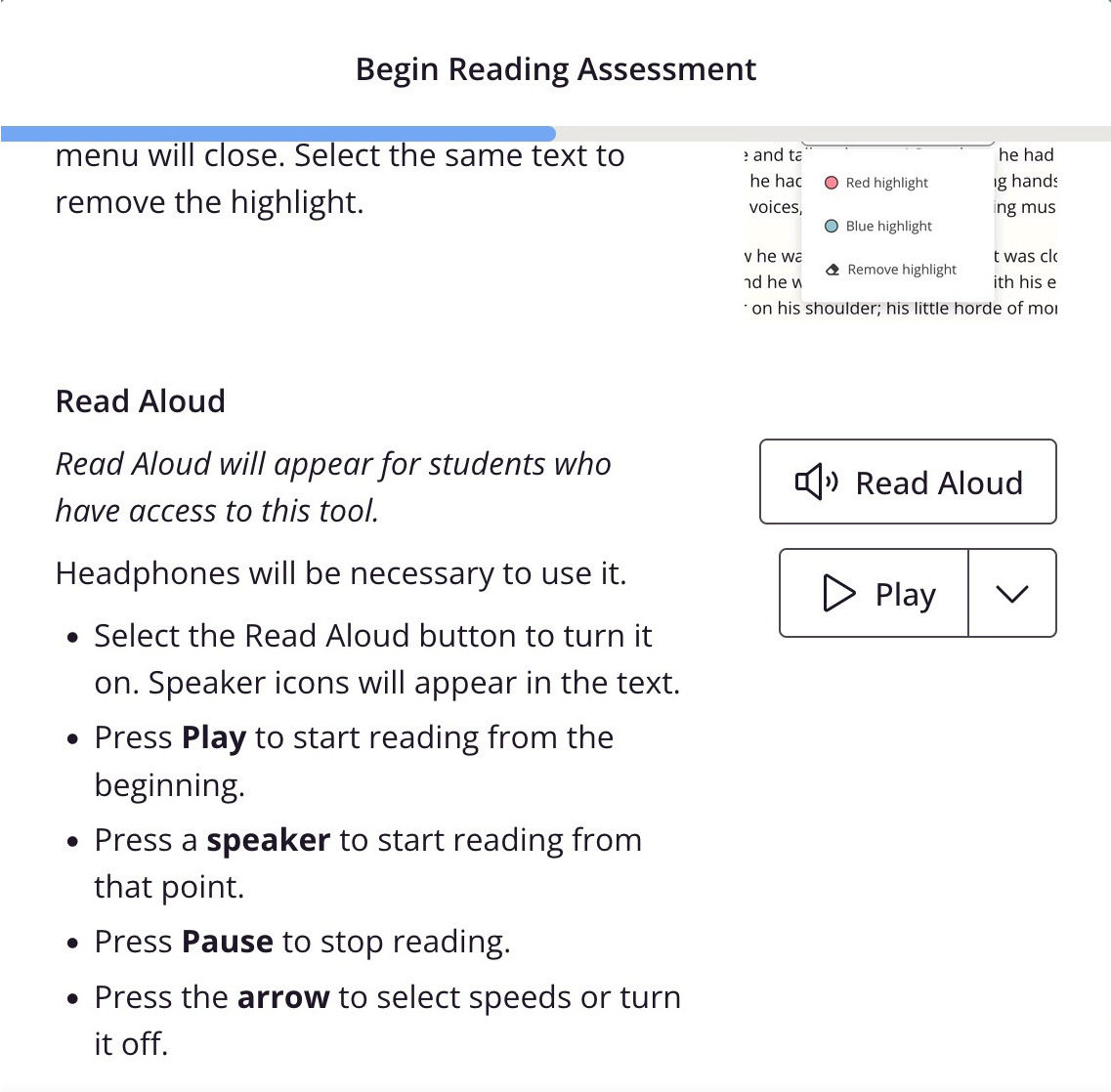
💡 Tip: You can preview the assessment Read Aloud experience from your account. To do so, click Assessment Series or Free Reading Assessment (the gauge icon) in the menu on the left. Then, click the Preview option. Read Aloud is available on all assessment previews, so you can test the Read Aloud experience prior to testing with students.
How to enable Read Aloud for students
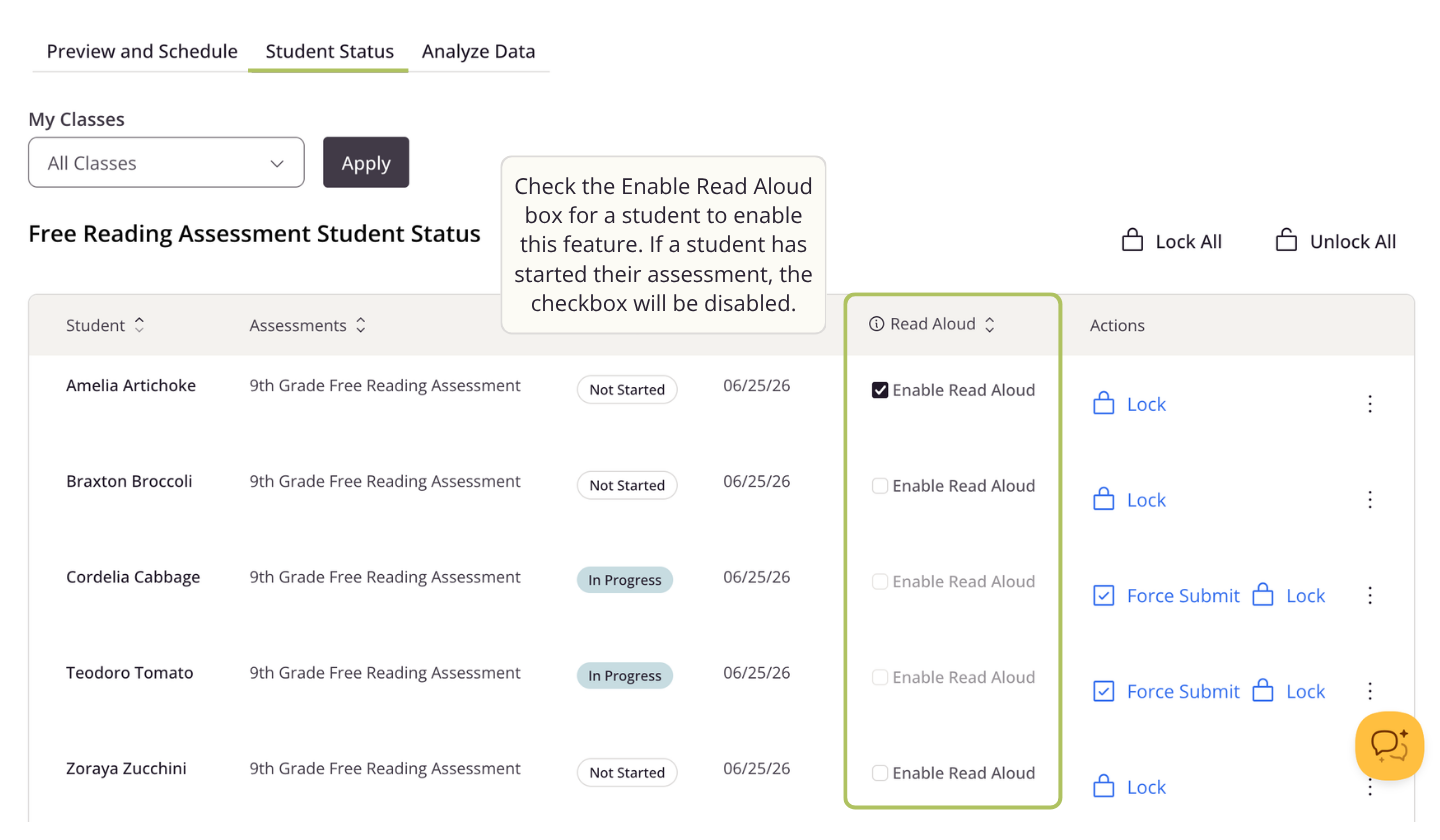
Once an assessment has been scheduled, Read Aloud can be enabled for specific students any time before they begin the test. Once a student has opened the test, you will no longer be able to edit this setting for them.
To enable Read Aloud for your student(s), follow the steps below:
- Click Assessment Series or Free Reading Assessment in the menu on the left (signified by the gauge icon)
- Choose the Student Status tab
- Check the Enable Read Aloud box for the student(s) who should have access to the feature
If you accidentally enable Read Aloud for a student, you can disable Read Aloud by unchecking the box any time prior to the student starting the assessment.
🎧 Finally, make sure students with Read Aloud enabled will have access to headphones on the day of the test!
⚠️ Once a student has opened their assessment, the Read Aloud setting can no longer be changed, even if they haven't answered any questions.
ℹ️ For customers with access to the Assessment Series, please note that Read Aloud must be enabled for each assessment a student is assigned. For example, enabling Read Aloud for a student on the Pre-Assessment will not enable Read Aloud for the Mid-Year or Post-Assessments.
ℹ️ If you have questions about any accessibility supports or accommodations, including read-aloud, contact your school and/or district leadership for information about relevant testing policies as well as state laws.