
Canvas: Why can't I share my small group assignment?
This article is intended only for customers and partners using Canvas. Our Canvas integration is available for schools and districts who purchase our School Essentials PRO package.
Currently, CommonLit does not support linking individual student/small group assignments to Canvas. If you are interested in seeing us add this ability, send us an email at help@commonlit.org.
There are two workarounds that can be used to share individual/small group assignments to Canvas.
First, teachers can use the "Copy Link" feature on CommonLit's share assignment window to copy the assignment link of a small-group assignment.
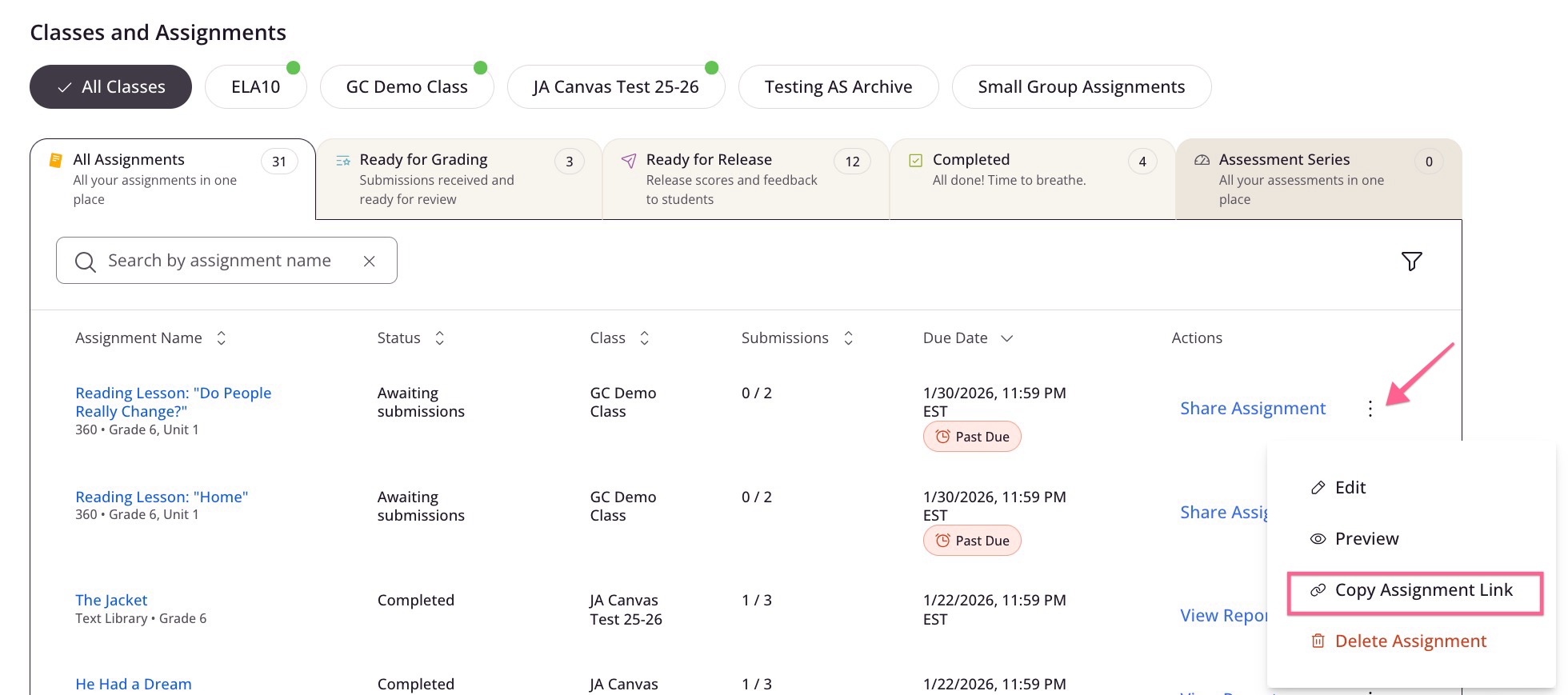
Then, you can paste this link on a Canvas assignment for the corresponding small group in Canvas. This method will not enable grade pass back to Canvas.
Alternatively, teachers can create a whole class assignment as normal and then lock or exempt the assignment for any students who don't need to complete it. Then, in Canvas, teachers should only assign it to the necessary students by entering the specific students in the Assign To field. More information about this method of creating small group assignments can be found under Option 2 in this FAQ: How do I assign a lesson to a single student or small group of students?